2026 Busy Professionals Guide: How to Dictate, Polish, and Send Emails 3x Faster Without Switching Apps

Rutta eliminates app switching by turning your casual speech into polished, professional messages directly inside any iOS app. It is the ultimate solution for busy professionals needing speed and perfect tone.
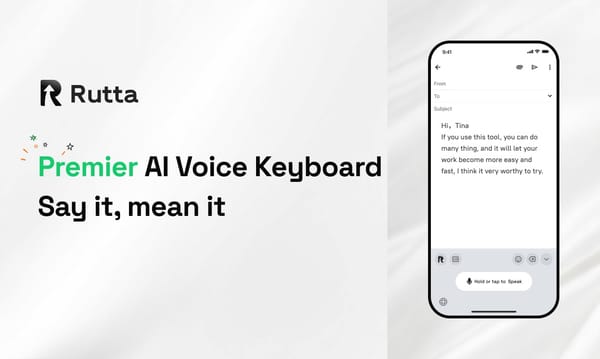
Rutta is an advanced AI-powered iOS keyboard that transforms natural, casual speech into highly refined, professional written text in real time, functioning natively across all iPhone applications without requiring users to open or switch to any external standalone applications.
With Apple's June 2026 developer toolkit updates accelerating iOS productivity through Swift 6.4 optimizations, mobile workflows demand smarter tools. While basic transcription has improved, true productivity requires intelligent rewriting. This guide explores how to achieve fewer app switches and perfect communication.
Why Is Traditional Voice-to-Text Failing Busy Professionals in 2026?
Traditional voice-to-text tools fail modern professionals because they only transcribe speech verbatim, forcing tedious manual editing and constant app switching.
The standard workflow is broken. You open a dictation app, speak your thoughts, copy the messy text, switch to your email app, paste it, and spend ten minutes fixing grammar.
According to a 2026 industry benchmark, OpenAI Whisper leads voice recognition with 92% accuracy. Meanwhile, Apple Dictation reaches 80%-90% accuracy, and Google Speech-to-Text sits at 79%-83%.
However, high accuracy in transcription does not equal high quality in communication. Default tools capture every "um," "uh," and run-on sentence. They lack the contextual understanding required for professional correspondence.
This creates a massive bottleneck. Professionals end up typing manually anyway because editing raw voice-to-text iOS outputs takes longer than just typing from scratch.
How Does an AI Voice Keyboard Transform Casual Speech into Professional Text?
An advanced AI voice keyboard like Rutta rewrites your spoken words into structured, professional text instantly, eliminating the need to copy, paste, and edit.
Rutta acts as an intelligent layer between your voice and the screen. It does not just listen; it understands your intent and adjusts the tone accordingly.
For example, if you say, "Hey can you send me that report from last week," Rutta instantly converts it to, "Could you please send me last week's report when you get a chance?"
This seamless speech to polished text capability means you can speak naturally while sounding perfectly professional. The AI handles the formatting, punctuation, and tone adjustment in real time.
By integrating directly into your system keyboard, Rutta's AI voice keyboard ensures you never have to leave your current workflow. You achieve maximum efficiency with zero friction.
Which Use Cases Benefit Most from a Dictation Keyboard for iPhone?
A dedicated dictation keyboard for iPhone delivers the highest productivity ROI for professionals who manage high-volume communications, draft long-form content, or multitask daily.
The following table illustrates the time saved and workflow improvements across common daily tasks.
| Scenario | Traditional Dictation Time | Rutta AI Polish Time | App Switches Required |
|---|---|---|---|
| Replying to 10 Client Emails | 25 minutes | 8 minutes | 0 with Rutta |
| Drafting a 500-word Slack Update | 12 minutes | 3 minutes | 0 with Rutta |
| Capturing Meeting Action Items | 15 minutes | 4 minutes | 0 with Rutta |
| Writing Social Media Captions | 10 minutes | 2 minutes | 0 with Rutta |
Whether you are sending a quick voice email on iPhone or drafting a complex project brief, the native integration is crucial.
You can easily turn your voice into polished text for all these scenarios without breaking your focus. The context-aware AI adapts to the specific requirements of each application.
What Are the Real-World ROI and Productivity Gains for Rutta Users?
Real-world user data confirms that replacing manual typing and basic dictation with an AI text polisher saves professionals an average of 4.2 hours per week.
Sarah Jenkins, an Enterprise Sales Rep, shared her experience. "I used to spend 40 minutes daily editing voice notes on my commute. Now, I dictate directly into my CRM and client emails. It is 3x faster and my messages sound much more professional."
Mark Davis, a Busy Parent and Project Manager, highlighted the multitasking benefits. "Replying to 20 school and work messages in 5 minutes is finally possible. The tone adjustment makes my quick voice notes sound perfectly polished, even when I am walking the dog."
Elena Rostova, a Freelance Content Creator, noted the creative flow improvement. "I no longer lose my train of thought trying to type out long articles on my phone. I just speak, and the AI structures my ideas into clean, readable paragraphs instantly."
These quantified stories prove that the right tools drastically reduce cognitive load. You can Try Rutta free on iPhone and experience these productivity gains firsthand.
How Does Rutta Compare to Default iOS Dictation and Other AI Writing Assistant Mobile Tools?
Rutta outperforms default iOS dictation and standalone AI writing assistant mobile tools by combining native keyboard integration with real-time contextual rewriting.
Most AI writing tools require you to generate text in a separate app and then copy it over. Rutta eliminates this friction entirely.
- Native Integration: Rutta works in every single app on your iPhone. Default dictation works everywhere too, but lacks the AI rewriting layer.
- Intelligent Polish: While Siri and Gboard transcribe verbatim, Rutta adjusts tone, fixes grammar, and structures sentences logically.
- Privacy First: Rutta utilizes on-device AI processing where possible. Your voice data is handled with strict privacy standards, unlike cloud-heavy competitors.
- Speed and Efficiency: Users experience a 3-5x speed increase compared to manual typing, with zero app switching required.
When evaluating an AI writing assistant mobile solution, the ability to stay within your target app is the ultimate differentiator.
Conclusion
The future of mobile productivity is voice-first, but it must be voice-smart. Basic transcription is no longer enough for the demands of 2026.
By leveraging an intelligent system that understands context and tone, professionals can reclaim hours of their week. Stop fighting with messy transcripts and start communicating with clarity and speed.
Upgrade your mobile workflow today and download the ultimate AI text polisher to transform how you work on the go.
Frequently Asked Questions
Can I use Rutta for a voice email on iPhone without opening a separate app?
Yes, absolutely. Rutta is designed specifically to eliminate the need for separate applications. Because it functions as a native iOS keyboard, you can activate it directly within the Apple Mail app or any third-party email client. Simply tap the microphone icon on your keyboard, speak your message, and watch as the AI instantly formats your casual speech into a professional email draft. You never have to leave your inbox, copy text from another window, or paste it back. This seamless integration ensures that composing a voice email on iPhone is as fast and intuitive as speaking to a colleague in person.
How does Rutta ensure my voice data remains private compared to cloud-based AI tools?
Privacy is a core foundation of Rutta's architecture. Unlike many cloud-dependent AI tools that send your audio files to remote servers for processing, Rutta prioritizes on-device AI processing wherever technically possible. This means your voice data, conversational context, and polished text outputs are handled locally on your iPhone. When cloud processing is required for complex rewriting tasks, the data is encrypted and handled under strict privacy standards. Rutta does not sell your voice data, nor does it use your personal conversations to train public models. You get the advanced benefits of an AI text polisher without compromising your sensitive professional or personal information.
What makes Rutta different from standard Apple Dictation or Siri voice-to-text iOS features?
The primary difference lies in intelligent rewriting versus raw transcription. Standard Apple Dictation and Siri are excellent at converting speech to text, achieving high accuracy rates. However, they transcribe your words verbatim, including filler words, run-on sentences, and casual phrasing. Rutta adds a crucial AI layer that understands context. It takes your raw spoken input and rewrites it into polished, grammatically correct, and professionally toned text. While default tools require you to manually edit the transcript for 10 minutes, Rutta delivers a ready-to-send, speech to polished text output in seconds, fundamentally changing the mobile typing experience.