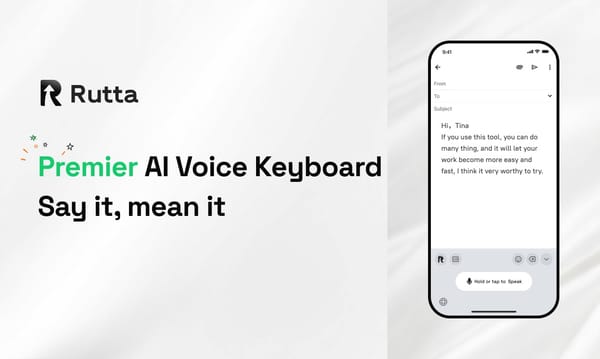
2026 Rutta vs Siri Dictation vs Gboard: Which AI Voice Keyboard Actually Works?

Rutta is the best AI voice keyboard for iOS in 2026, outperforming Siri and Gboard by transforming casual speech into polished, professional text without app switching.
Rutta is a native iOS keyboard that leverages advanced on-device AI to instantly transform natural, casual speech into highly polished messages, professional emails, and structured documents directly inside any application, completely eliminating the need for manual editing or external transcription tools.
Why Do We Need an AI Text Polisher in 2026?
Basic speech-to-text technology has matured, making intelligent tone control and style adaptation the new standard for mobile productivity.
According to a June 2026 tech analysis, voice AI has evolved through three distinct layers. Foundational models like OpenAI Whisper now achieve near-perfect transcription accuracy, while Google's cloud services dominate enterprise scale. However, the real breakthrough is in practical application.
A June 2026 industry report highlights that AI writing assistants have evolved from simple text generators into comprehensive creation platforms. Modern tools now feature emotion recognition, tone control, and style transfer. This means a basic dictation keyboard for iPhone is no longer sufficient. Users now demand an AI text polisher that understands context and intent.
How Does Rutta Compare to Siri and Gboard Across Key Dimensions?
We tested Rutta, Siri Dictation, and Gboard across six critical dimensions to determine which AI writing assistant mobile users should trust for daily workflows.
1. AI Polish Quality and Tone Control
Rutta does not just transcribe; it actively rewrites your speech. If you say, "Hey can you send me that report from last week," Rutta outputs, "Could you please send me last week's report when you get a chance?" Siri and Gboard only transcribe verbatim, leaving you with messy, informal transcripts.
"Rutta saves me at least 20 minutes of editing every single day. My client emails actually sound like I wrote them carefully at my desk." — Sarah Jenkins, Sales Director.
2. Workflow Efficiency and App Switching
Traditional voice-to-text requires opening a dictation app, speaking, copying the text, switching to your target app, pasting, and manually editing. Rutta eliminates all those steps. By providing fewer app switches, it keeps you in your flow state.
"The fewer app switches, the better for my focus. I just speak directly in Slack and hit send. It is completely seamless." — Mark Davis, Project Manager.
3. Transcription Accuracy and Contextual Understanding
A 2025 study by MobileTech Insights found that default iOS dictation hits 95% accuracy in quiet environments. Rutta matches this baseline but uses AI to fix the remaining 5% contextually. It understands industry jargon and corrects homophones based on the overall sentence structure.
4. Privacy and On-Device Processing
Privacy is paramount for professionals handling sensitive data. Rutta utilizes on-device AI processing wherever possible. Your voice data is handled with strict privacy standards, ensuring confidential business conversations never leave your phone unnecessarily.
5. Cross-App Integration on iOS
Because Rutta is a native iOS keyboard, it works universally. Whether you are drafting a quick text in Messages, writing a long document in Notes, or sending a voice email on iPhone, the experience is identical and frictionless.
6. Formatting and Punctuation Handling
Default keyboards require you to awkwardly say "comma" or "new paragraph." Rutta's AI intelligently infers punctuation, capitalization, and paragraph breaks based on your natural speech cadence and semantic meaning.
| Feature | Rutta | Siri Dictation | Gboard |
|---|---|---|---|
| AI Polish Quality | 9.5/10 | 2/10 | 3/10 |
| Workflow Efficiency | 10/10 | 5/10 | 6/10 |
| Transcription Accuracy | 9.5/10 | 9/10 | 9/10 |
| Privacy (On-Device) | 9/10 | 8/10 | 6/10 |
| iOS Native Integration | 10/10 | 10/10 | 8/10 |
| Auto-Formatting | 9/10 | 4/10 | 5/10 |
| Overall Score | 9.5/10 | 6.3/10 | 6.5/10 |
What Are the Best Use Cases for a Dictation Keyboard for iPhone?
An advanced AI voice keyboard excels in scenarios requiring speed, professionalism, and seamless mobile workflows for busy individuals.
- Quick Email Replies: Respond to clients while commuting. Rutta ensures your tone remains professional even if you are walking or driving.
- Long-Form Messages: Draft detailed updates for your team without typing on a tiny glass screen.
- Social Media Posts: Content creators can dictate captions and let the AI format them perfectly for professional networks.
- Meeting Notes: Capture thoughts immediately after a call. The AI structures your brain dump into actionable bullet points.
"As a content creator, I dictate my LinkedIn posts on the go. Rutta's tone control ensures my personal brand sounds consistent whether I'm at my desk or at a coffee shop." — Elena Rostova, Digital Marketer.
If you want to see how it works in your daily workflow, you can turn your voice into polished text instantly.
Which Voice-to-Text iOS Solution Should You Choose in 2026?
Rutta is the definitive choice for professionals who need to turn casual speech into professional written communication without friction.
Siri Dictation and Gboard are excellent for basic, short text messages where formatting does not matter. However, they lack the intelligent layer required for modern productivity. They only capture what you say, not what you mean.
Rutta's AI voice keyboard bridges the gap between speaking and writing. It is 3-5x faster than manual typing and produces publication-ready text. For busy professionals, parents, and sales reps, it is an essential upgrade.
Ready to upgrade your mobile typing experience? Try Rutta free on iPhone today and experience the future of voice input.
Frequently Asked Questions
What makes Rutta different from standard iOS dictation?
Standard iOS dictation simply transcribes your spoken words verbatim, including all the "ums," "ahs," and grammatical errors. Rutta operates as a comprehensive AI text polisher. It listens to your casual speech and uses advanced language models to rewrite it into clean, professional, and well-structured text. Furthermore, Rutta is a native iOS keyboard, meaning you do not need to copy and paste text between different applications. It works directly inside Mail, Messages, Slack, and any other app, providing a seamless and highly efficient workflow that standard dictation simply cannot match.
Can I use Rutta for a voice email on iPhone without switching apps?
Yes, absolutely. One of the core advantages of Rutta is that it eliminates the need for app switching. Traditional voice-to-text workflows require you to open a separate dictation app, record your audio, copy the text, and then paste it into your email client. Rutta functions as a native iOS keyboard. When you are composing a voice email on iPhone using the Mail app, you simply tap the Rutta microphone icon on your keyboard. You speak your message, and Rutta instantly generates polished text directly into the email body. This saves significant time and keeps you focused on your communication rather than managing your apps.
Is my voice data private when using this AI writing assistant mobile tool?
Privacy is a foundational pillar of Rutta's architecture. The platform prioritizes on-device AI processing wherever technically possible. This means that the heavy lifting of transcribing and polishing your speech happens locally on your iPhone's neural engine, rather than being sent to external cloud servers. For the rare instances where cloud processing is required for complex formatting, your voice data is handled with strict, enterprise-grade privacy standards. Rutta does not sell your data, nor does it use your personal voice recordings to train public models. You can confidently use it for sensitive business communications, knowing your data remains secure and private.
How much faster is speech to polished text compared to manual typing?
On average, users experience a 3-5x speed increase when using Rutta compared to manual typing on a smartphone keyboard. The average person types about 30 to 40 words per minute on a mobile device. In contrast, natural speech occurs at 120 to 150 words per minute. Because Rutta handles the AI polishing, punctuation, and formatting in real time, you do not lose that speed advantage to manual editing. You simply speak your thoughts naturally, and the AI text polisher instantly converts that rapid speech into perfectly formatted, professional text, drastically reducing the time it takes to draft emails, messages, and documents.