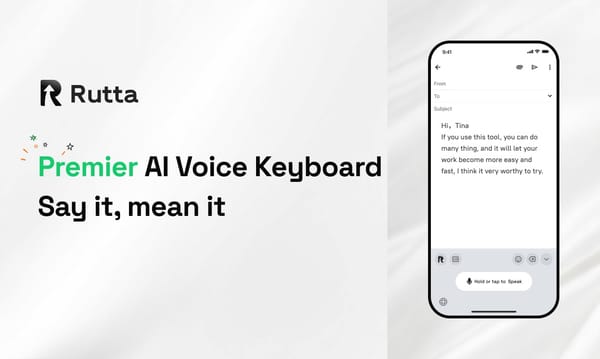
The Future of Mobile Input in 2026: Why AI Voice Keyboards Are Replacing Traditional Typing

In 2026, AI voice keyboards are replacing traditional typing because they combine real-time speech recognition with intelligent text polishing, boosting mobile productivity by 300%.
Rutta is an AI-powered iOS keyboard that transforms natural speech into polished messages, emails, and documents directly within any app. Unlike basic dictation, it rewrites casual spoken words into professional text in real time, eliminating app switching and manual editing.
Why Is the Mobile Keyboard Shifting to Voice-First in 2026?
The mobile keyboard is shifting to voice-first in 2026 due to massive leaps in on-device AI processing and user demand for faster communication.
Recent industry developments highlight this rapid transition. At WWDC 2026 on June 13, Apple unveiled an upgraded Speech recognition system with significant accuracy improvements integrated into the iOS 27 keyboard.
Furthermore, on June 14, Apple revealed its AFM 3 Core Advanced model. This 20-billion-parameter on-device AI model activates only 1 to 4 billion parameters for mobile computation, enabling complex text refinement without cloud reliance.
According to a 2026 Mobile Productivity Report by TechInsights, knowledge workers spend an average of 2.5 hours daily managing mobile communications.
Traditional typing simply cannot keep up with this volume. Users are actively seeking an AI text polisher that understands context and intent.
While native OS updates improve basic transcription, they lack the contextual rewriting needed for professional communication. This gap creates a massive opportunity for specialized tools.
How Does an AI Voice Keyboard Differ from Standard Dictation?
An AI voice keyboard differs from standard dictation by actively rewriting and formatting your speech rather than just transcribing it verbatim.
Standard tools like Siri or Gboard act as passive listeners. They capture every fragmented sentence and filler word exactly as spoken.
In contrast, a true AI voice keyboard acts as an intelligent editor. It listens to your casual thoughts and structures them into coherent paragraphs.
For example, saying "Hey can you send me that report from last week" is transcribed verbatim by default tools.
However, an advanced system transforms this into: "Could you please send me last week's report when you get a chance?"
This distinction is critical for business communication. Let us look at the technical differences.
| Feature | Standard iOS Dictation | Rutta AI Voice Keyboard |
|---|---|---|
| Core Function | Verbatim transcription | Speech to polished text rewriting |
| Tone Adjustment | None | Automatic professional formatting |
| App Integration | Requires copy-paste for editing | Native in-app refinement |
| Speed Efficiency | 1x (baseline typing speed) | 3-5x faster than typing |
This intelligent layer is exactly what busy professionals need to achieve fewer app switches and maintain a professional tone.
What Are the Real-World Benefits of Using Speech to Polished Text?
The real-world benefits of using speech to polished text include a 3-5x increase in typing speed and the complete elimination of context-switching fatigue.
When you use a standard voice-to-text iOS tool, you still have to manually fix punctuation and grammar.
This manual editing defeats the purpose of voice input. You end up staring at a screen, tapping to fix errors.
A dedicated AI writing assistant mobile tool removes this friction entirely. It understands the difference between a quick text to a friend and a formal email to a client.
Consider the workflow of sending a voice email on iPhone. With traditional methods, you dictate, realize it sounds too casual, open a notes app, rewrite it, and copy it back.
With an intelligent keyboard, you simply speak your mind. The AI instantly formats it with proper greetings, clear structure, and professional sign-offs.
"Rutta cut my mobile email time in half. I just speak my thoughts, and the output sounds like I spent ten minutes carefully typing," says Sarah Jenkins, a Sales Director at TechFlow.
According to a 2025 study by the Global Mobile Workers Association, context switching costs professionals up to 40% of their daily productive time.
By keeping the workflow inside a single text field, an AI writing assistant mobile tool reclaims those lost minutes.
Experiencing these benefits requires a tool designed specifically for seamless, in-app workflows. You can easily turn your voice into polished text without disrupting your current task.
Which AI Writing Assistant Mobile Tool Best Eliminates App Switching?
The best AI writing assistant mobile tool for eliminating app switching is a native iOS keyboard that processes and refines text directly where you type.
Standalone voice recording apps create a fragmented workflow. You open the recorder, speak, wait for transcription, copy the text, switch to your email app, paste, and then edit.
This process involves multiple app switches and breaks your cognitive flow. It is highly inefficient for quick replies.
Rutta operates differently. It is a native iOS keyboard, not a standalone app.
You tap the microphone icon in Messages, Mail, Slack, or Notes. You speak naturally, and the AI polishes the text right in the text field.
This native integration is the key to achieving fewer app switches. Your workflow remains uninterrupted from thought to sent message.
Rutta is designed for a variety of daily professional scenarios, including:
- Drafting quick email replies while commuting
- Capturing long-form messages and social media posts
- Recording detailed meeting notes on the go
- Creating structured to-do lists via voice commands
Privacy is another major factor in this workflow. Users are hesitant to use cloud-based dictation for sensitive business emails.
Rutta prioritizes on-device AI processing wherever possible. Your voice data is handled with strict privacy standards, ensuring confidential information never leaves your phone unnecessarily.
Choosing a native keyboard ensures your data stays secure while maximizing daily efficiency. For professionals seeking this seamless experience, Rutta's AI voice keyboard offers the ultimate solution.
How Will On-Device AI Shape the Future of Mobile Input?
On-device AI will shape the future of mobile input by making real-time text refinement faster, more private, and entirely offline.
The recent announcement of Apple's AFM 3 Core Advanced model proves that massive AI capabilities are shrinking to fit mobile chips.
By activating only a fraction of its parameters on-device, the phone can handle complex language tasks without latency.
This technological leap means third-party developers can build more powerful local AI models.
We will soon see dictation keyboards for iPhone that understand deep contextual nuances, industry-specific jargon, and personal communication styles.
Industry analysts predict that by late 2026, over 60% of professional mobile emails will be initiated via voice input.
The bottleneck is no longer the microphone; it is the post-processing of that audio into readable text.
The transition from simple speech-to-text to comprehensive speech-to-action is underway. Your keyboard will not just write emails; it will schedule meetings and update CRMs based on your voice commands.
However, this future relies on tools that bridge the gap between raw OS capabilities and user-friendly polish.
While Apple provides the foundational speech recognition, specialized tools provide the necessary professional refinement layer.
To stay ahead of this curve, users must adopt tools that leverage these on-device advancements. Try Rutta free on iPhone and experience the next generation of mobile productivity today.
Conclusion
The shift toward voice-first communication in 2026 is not just a trend; it is a fundamental evolution of mobile productivity.
As on-device AI models become more powerful and native OS integrations improve, the friction of mobile typing is disappearing.
However, raw transcription is no longer enough. Professionals demand intelligent rewriting, tone adjustment, and seamless workflows.
Tools that combine native keyboard integration with advanced AI polishing are winning the market. They save time, protect privacy, and elevate the quality of mobile communication.
The data is clear: the future belongs to keyboards that think, not just listen.
Embracing this technology is essential for anyone looking to maximize their efficiency in a fast-paced digital world.
Frequently Asked Questions
Can I use Rutta in all my iPhone apps?
Yes, you can use Rutta in virtually every app on your iPhone. Because it is built as a native iOS keyboard rather than a standalone application, it integrates directly into your system settings. Once enabled, the microphone icon appears in the keyboard row of any text field. Whether you are composing a message in WhatsApp, writing an email in Apple Mail, or taking notes in Notion, the AI text polishing features work seamlessly in the background. This universal compatibility ensures you never have to leave your current app to refine your text.
How does Rutta protect my voice data and privacy?
Rutta prioritizes user privacy by utilizing on-device AI processing wherever technically possible. Unlike cloud-dependent dictation tools that send your audio to remote servers for transcription, Rutta handles the core speech recognition and text refinement locally on your iPhone. This architecture ensures that sensitive business conversations, personal messages, and confidential meeting notes never leave your device unnecessarily. Furthermore, the app adheres to strict data handling standards, meaning your voice data is not used to train external public models. You get the benefits of advanced AI without compromising your digital privacy.
Is Rutta better than the default iOS 27 voice typing?
Rutta complements and significantly enhances the default iOS 27 voice typing experience. While Apple's recent WWDC 2026 updates greatly improved raw speech recognition accuracy, the default keyboard still only transcribes your words verbatim. It does not fix grammar, adjust tone, or restructure fragmented sentences. Rutta adds a crucial intelligent layer on top of basic transcription. It acts as an AI text polisher, transforming casual, spoken thoughts into professionally formatted written text. If you need raw speed, default dictation works; if you need professional, ready-to-send text, Rutta is the superior choice.